Bringing a child born outside Saudi Arabia into the Kingdom is both a joyful moment and a process that comes with a fair share of paperwork. One of the most important steps for expatriate parents is paying the Iqama fee for the child so they can be officially registered and legally stay in Saudi Arabia.

This guide walks you through the process in a clear, simple, and realistic way — because we know how confusing and stressful it can feel, especially when you’re doing it for the first time.
Why You Need to Pay the Iqama Fee
When a child is born outside Saudi Arabia, they do not automatically get an Iqama (residency ID) even if both parents are legal residents. Instead, once the child enters the Kingdom on a visa (usually a family visa issued from the Saudi embassy), you’ll need to start the process to issue their Iqama.
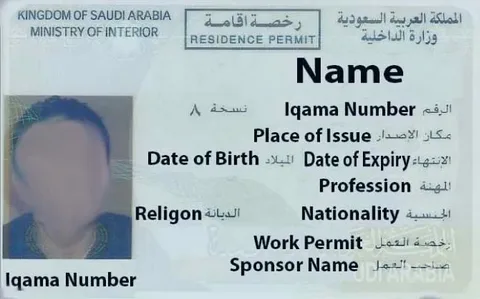
But before you can even begin the actual application, you’ll need to pay a dependent fee — which is SR 2,000 — for the child’s entry into Saudi Arabia.
When and Where to Pay the Fee
The SR 2,000 fee must be paid after the child enters Saudi Arabia and before applying for the Iqama. The payment is made through any bank account that supports SADAD payments, such as Al Rajhi, NCB (Al Ahli), Riyad Bank, or others.
You can pay this fee using the online banking portal or mobile app of your Saudi bank. Below, we’ll take you step by step through one of the most popular banks: Al Rajhi Bank.
Step-by-Step Guide to Pay Iqama Fee (Al Rajhi Bank Example)
Note: While the layout might differ slightly between banks, the general process and fields are very similar.
Step 1: Log in to Your Online Banking
Open the Al Rajhi mobile app or online banking platform and log in using your credentials.
Step 2: Go to Payments
- From the home screen, select “Payments” or “Sadad Payments”.
- Choose “Government Payments”.
Step 3: Select the Service Type
- In the next screen, you’ll be prompted to choose the service type. Choose:
- Service Type: Alien Control
- Transaction Type: New Dependents Entry
- Application Type: Pay for Dependent Fee (newborn outside KSA)
Step 4: Enter the Dependent’s Details
- Border Number: This is extremely important.
- You’ll find the border number (sometimes called the “entry number”) on the child’s entry visa page stamped in their passport when they arrived in Saudi Arabia.
- It usually starts with 3, and it’s written by hand or printed near the visa stamp.
- Confirm all other fields (such as nationality, visa type, etc.) if prompted.
Step 5: Confirm and Pay
- Once all details are correctly entered, the system will show the fee: SR 2,000.
- Proceed to confirm the transaction and pay the fee.
You’ll receive a confirmation message or receipt, which you should keep for your records — it will be required during the Iqama application process.
Important Things to Know
1. The Fee is Non-Refundable
Once you pay the SR 2,000, it cannot be refunded — even if you later change your mind or face delays.
2. Must Be Paid After Entry
The system won’t recognize your child’s border number if you try to pay before they enter Saudi Arabia.
3. Payment Must Be Made Under the Sponsor’s Account
Usually, this means the father’s bank account (or whoever is listed as the sponsor on the child’s visa).
What to Do After Paying the Fee
Once the SR 2,000 payment is complete, you can now apply for your child’s Iqama through Absher, Jawazat, or your employer’s HR department if applicable.
The Iqama issuance process generally includes:
- Uploading or submitting required documents:
- Child’s passport
- Birth certificate
- Parents’ Iqama copies
- Visa copy
- Passport-sized photo of the child
- Visiting Jawazat (if needed) for fingerprinting or document submission
The full Iqama fee (yearly dependent fee) may also apply depending on your employer and residency type, but the SR 2,000 entry fee is mandatory for all cases.
Real Experiences from Parents
Many expats in Saudi Arabia have shared their experiences on forums and social media, and while the process might feel overwhelming at first, most report that it’s quite smooth if you have all documents ready.
One parent shared:
“We were nervous because we weren’t sure what the border number was. It was handwritten and a bit unclear. We had to double-check at the airport, but once we entered the right number in the app, the payment went through without issues.”
Another said:
“Using Al Rajhi Bank made it easy — I paid the SR 2,000 fee through the app in less than 5 minutes. Just make sure you wait until the child is physically in Saudi before trying to pay.”
Conclusion
- Double-check the border number before entering it — any mistake will cause payment to fail.
- Keep digital and printed copies of all receipts and documents.
- If you’re unsure at any point, visit your nearest Jawazat office or call their helpdesk for guidance.
Summary
Paying the SR 2,000 Iqama fee for a child born outside Saudi Arabia is a necessary and straightforward process if you follow the steps carefully:
- Wait until the child enters Saudi Arabia.
- Log into your bank’s online platform.
- Use the Alien Control > New Dependents Entry option.
- Enter the correct border number.
- Pay and save your receipt.
Once this fee is paid, you can move ahead with applying for your child’s Iqama and welcoming them fully into life in Saudi Arabia.